LayoutIntermediateApril 10, 2026
Card Slider
A draggable horizontal card slider built with GSAP Draggable and InertiaPlugin. Supports snap-to-slide, momentum scrolling, mousewheel, keyboard navigation, and prev/next buttons. Responsive slide width via CSS container queries.
View Full Demo →Preview

KickandbassShopify / Motion
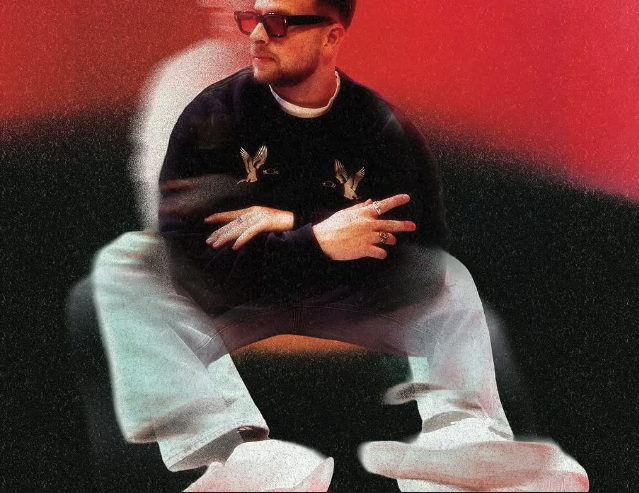
WestendCampaign / Web

Kevin DavisPortfolio

DelivrdBrand / Web
SocialstatsProduct / Design

EditorialArt Direction

PortraitsPhotography
Source
demo.jsx
import CardSlider from "./index.jsx";
import { cardSlider } from "../demo-data.js";
import styles from "./demo.module.css";

export default function CardSliderDemo() {
  return (
    <div className={styles.page}>
      <p className={styles.label}>[ Card Slider ]</p>
      <CardSlider {...cardSlider} />
    </div>
  );
}
index.jsx
"use client";

import { useEffect, useRef, useState } from "react";
import { gsap } from "gsap";
import { Draggable } from "gsap/Draggable";
import { InertiaPlugin } from "gsap/InertiaPlugin";
import styles from "./styles.module.css";

gsap.registerPlugin(Draggable, InertiaPlugin);

export default function CardSlider({ slides = [] }) {
  const viewportRef = useRef(null);
  const trackRef = useRef(null);
  const draggableRef = useRef(null);
  const indexRef = useRef(0);
  const goToRef = useRef(null);
  const [activeIndex, setActiveIndex] = useState(0);

  useEffect(() => {
    const track = trackRef.current;
    const viewport = viewportRef.current;
    if (!track || !viewport || !slides.length) return;

    function getSnapPoints() {
      const maxScroll = -(track.scrollWidth - viewport.offsetWidth);
      return Array.from(track.children).map((el) =>
        Math.max(maxScroll, -el.offsetLeft)
      );
    }

    function nearestIndex(x) {
      const pts = getSnapPoints();
      return pts.reduce(
        (best, p, i) =>
          Math.abs(x - p) < Math.abs(x - pts[best]) ? i : best,
        0
      );
    }

    function goTo(index) {
      const pts = getSnapPoints();
      const clamped = Math.max(0, Math.min(index, slides.length - 1));
      indexRef.current = clamped;
      setActiveIndex(clamped);
      gsap.to(track, {
        x: pts[clamped] ?? 0,
        duration: 0.6,
        ease: "power3.inOut",
        overwrite: true,
        onComplete: () => draggableRef.current?.update(),
      });
    }
    goToRef.current = goTo;

    const rafId = requestAnimationFrame(() => {
      const snapPoints = getSnapPoints();
      const minX = snapPoints[snapPoints.length - 1] ?? 0;

      draggableRef.current = Draggable.create(track, {
        type: "x",
        inertia: true,
        bounds: { minX, maxX: 0 },
        snap: snapPoints,
        onDrag() {
          const idx = nearestIndex(this.x);
          indexRef.current = idx;
          setActiveIndex(idx);
        },
        onThrowUpdate() {
          const idx = nearestIndex(this.x);
          indexRef.current = idx;
          setActiveIndex(idx);
        },
      })[0];
    });

    function onWheel(e) {
      e.preventDefault();
      const x = Number(gsap.getProperty(track, "x"));
      const pts = getSnapPoints();
      const minX = pts[pts.length - 1] ?? 0;
      const newX = Math.max(minX, Math.min(0, x - e.deltaY * 0.8));
      gsap.to(track, { x: newX, duration: 0.4, ease: "power2.out", overwrite: true });
      draggableRef.current?.update();
      const idx = nearestIndex(newX);
      indexRef.current = idx;
      setActiveIndex(idx);
    }

    function onKeyDown(e) {
      if (e.key === "ArrowLeft") goTo(indexRef.current - 1);
      if (e.key === "ArrowRight") goTo(indexRef.current + 1);
    }

    viewport.addEventListener("wheel", onWheel, { passive: false });
    window.addEventListener("keydown", onKeyDown);

    return () => {
      cancelAnimationFrame(rafId);
      draggableRef.current?.kill();
      viewport.removeEventListener("wheel", onWheel);
      window.removeEventListener("keydown", onKeyDown);
    };
  }, [slides]);

  return (
    <section className={styles.group}>
      <div ref={viewportRef} className={styles.viewport}>
        <div ref={trackRef} className={styles.track}>
          {slides.map((slide, i) => (
            <div key={i} className={styles.slide}>
              <div className={styles.card}>
                <div className={styles.cardVisual}>
                  {slide.imageSrc && (
                    <img
                      src={slide.imageSrc}
                      alt={slide.title ?? ""}
                      className={styles.cardImg}
                    />
                  )}
                </div>
                <div className={styles.cardText}>
                  <span className={styles.cardTitle}>{slide.title}</span>
                  {slide.subtitle && (
                    <span className={styles.cardSubtitle}>{slide.subtitle}</span>
                  )}
                </div>
              </div>
            </div>
          ))}
        </div>
      </div>

      <div className={styles.navigation}>
        <button
          className={`${styles.navButton} ${activeIndex === 0 ? styles.navHidden : ""}`}
          onClick={() => goToRef.current?.(activeIndex - 1)}
          aria-label="Previous slide"
        >
          <svg viewBox="0 0 24 24" className={`${styles.navArrow} ${styles.navArrowPrev}`}>
            <path d="M14 19L21 12L14 5" stroke="currentColor" strokeWidth="2" fill="none" />
            <path d="M21 12H2" stroke="currentColor" strokeWidth="2" fill="none" />
          </svg>
        </button>

        <div className={styles.pagination}>
          {slides.map((_, i) => (
            <button
              key={i}
              className={`${styles.dot} ${i === activeIndex ? styles.dotActive : ""}`}
              onClick={() => goToRef.current?.(i)}
              aria-label={`Go to slide ${i + 1}`}
            />
          ))}
        </div>

        <button
          className={`${styles.navButton} ${activeIndex === slides.length - 1 ? styles.navHidden : ""}`}
          onClick={() => goToRef.current?.(activeIndex + 1)}
          aria-label="Next slide"
        >
          <svg viewBox="0 0 24 24" className={styles.navArrow}>
            <path d="M14 19L21 12L14 5" stroke="currentColor" strokeWidth="2" fill="none" />
            <path d="M21 12H2" stroke="currentColor" strokeWidth="2" fill="none" />
          </svg>
        </button>
      </div>
    </section>
  );
}
demo.module.css
.page {
  background: #0d0d0d;
  color: #fff;
  min-height: 100vh;
  display: flex;
  flex-direction: column;
  justify-content: center;
  padding: 4rem 0;
  gap: 1.5rem;
}

.label {
  font-size: 0.75rem;
  letter-spacing: 0.12em;
  text-transform: uppercase;
  color: rgba(255, 255, 255, 0.3);
  padding: 0 4vw;
}
styles.module.css
.group {
  --gap: 1.25em;
  width: 100%;
  display: flex;
  flex-direction: column;
  gap: 1.5em;
}

/* ---- Slider track ---- */
.viewport {
  container-type: inline-size;
  overflow: hidden;
}

.track {
  display: flex;
  gap: var(--gap);
  will-change: transform;
}

/* Responsive slide widths — container queries so it works
   regardless of where the component is embedded */
.slide {
  flex: none;
  width: calc(100cqi / 1.25);
}

@container (min-width: 480px) {
  .slide { width: calc(100cqi / 1.8); }
}

@container (min-width: 992px) {
  .slide { width: calc(100cqi / 3.5); }
}

/* ---- Card ---- */
.card {
  aspect-ratio: 4 / 5.25;
  background: #131313;
  border: 1px solid rgba(255, 255, 255, 0.15);
  border-radius: 1em;
  display: flex;
  flex-direction: column;
  justify-content: space-between;
  padding: 1em;
  color: white;
  overflow: hidden;
}

.cardVisual {
  flex: 1;
  border-radius: 0.5em;
  overflow: hidden;
  position: relative;
  background: linear-gradient(
    135deg,
    #ffffff08,
    #ffffff14 11%,
    #ffffff08 16%,
    #ffffff12 58%,
    #ffffff17 63%,
    #ffffff08 73%,
    #ffffff0d 96%,
    #ffffff08
  );
}

.cardImg {
  position: absolute;
  inset: 0;
  width: 100%;
  height: 100%;
  object-fit: cover;
}

.cardText {
  padding: 1em 0.5em 0.25em;
  display: flex;
  flex-direction: column;
  gap: 0.25em;
}

.cardTitle {
  font-size: 1.25em;
  font-weight: 500;
}

.cardSubtitle {
  font-size: 0.8em;
  color: rgba(255, 255, 255, 0.45);
}

/* ---- Navigation ---- */
.navigation {
  display: flex;
  justify-content: space-between;
  align-items: center;
  padding: 0 0.25em;
}

.navButton {
  width: 3em;
  aspect-ratio: 1;
  background: white;
  border-radius: 50%;
  display: flex;
  align-items: center;
  justify-content: center;
  padding: 0.875em;
  border: none;
  cursor: pointer;
  transition: opacity 0.25s ease;
  color: #111;
  flex-shrink: 0;
}

.navHidden {
  opacity: 0;
  pointer-events: none;
}

.navArrow {
  width: 100%;
  display: block;
}

.navArrowPrev {
  transform: rotate(180deg);
}

/* ---- Pagination ---- */
.pagination {
  display: flex;
  align-items: center;
  gap: 0.5em;
}

.dot {
  width: 0.5em;
  height: 0.5em;
  border-radius: 50%;
  background: currentColor;
  opacity: 0.15;
  border: none;
  cursor: pointer;
  padding: 0;
  transition: opacity 0.2s ease;
  flex-shrink: 0;
}

.dotActive {
  opacity: 1;
}
Dependencies
gsap
More in Layout

Apr 9, 2026
LAYOUTLayout Grid Flip
A card grid that animates between large (3-col) and small (5-col) layouts using GSAP Flip. Cards reflow with a smooth positional tween and the container height animates in sync. Subtitle text fades out in small view. Respects prefers-reduced-motion.

Apr 8, 2026
LAYOUTInfinite Ticker
An infinitely scrolling horizontal text ticker that loops seamlessly. Items are duplicated and a CSS animation shifts the track by exactly 50%, creating a gapless loop without JavaScript.