Line Reveal Testimonials
Full-width testimonial slider with GSAP SplitText line-mask transitions. Each slide's quote and author details animate in line-by-line, with the avatar revealed via a circular clip-path. Supports autoplay, keyboard navigation, and reduced-motion.
View Full Demo →Preview
“Working with No-5 transformed our digital presence entirely. The motion design language they built feels completely native to our brand.”
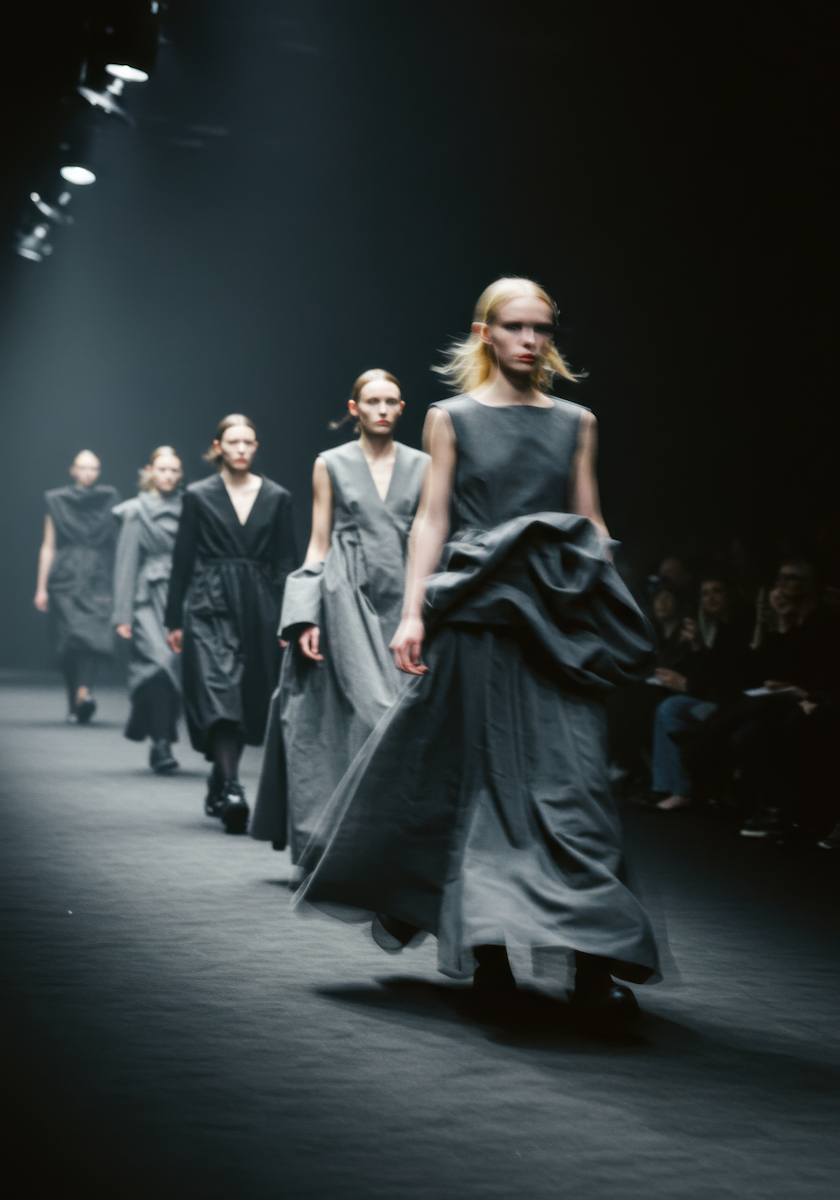
Sarah Chen
Kickandbass
Source
import LineRevealTestimonials from "./index.jsx";
import { lineRevealTestimonials } from "@/content/sections/demo-data.js";
import styles from "./demo.module.css";

export default function LineRevealTestimonialsDemo() {
  return (
    <div className={styles.demo}>
      <p className={styles.label}>What clients say</p>
      <LineRevealTestimonials {...lineRevealTestimonials} />
    </div>
  );
}
"use client";
import { useEffect, useRef } from "react";
import { gsap } from "gsap";
import { SplitText } from "gsap/SplitText";
import { ScrollTrigger } from "gsap/ScrollTrigger";
import styles from "./styles.module.css";
gsap.registerPlugin(SplitText, ScrollTrigger);
const IMAGE_CLIP_HIDDEN = "circle(0% at 50% 50%)";
const IMAGE_CLIP_VISIBLE = "circle(50% at 50% 50%)";
export default function LineRevealTestimonials({
testimonials = [],
autoplay = true,
autoplayDuration = 5000,
}) {
const wrapRef = useRef(null);
useEffect(() => {
const wrap = wrapRef.current;
if (!wrap || !testimonials.length) return;
let activeIndex = 0;
let isAnimating = false;
let reduceMotion = false;
let autoplayCall = null;
let isInView = true;
const itemEls = Array.from(wrap.querySelectorAll("[data-testimonial-item]"));
const btnPrev = wrap.querySelector("[data-prev]");
const btnNext = wrap.querySelector("[data-next]");
const elCurrent = wrap.querySelector("[data-current]");
const slides = itemEls.map((item) => ({
item,
image: item.querySelector("[data-testimonial-img]"),
splitTargets: [
item.querySelector("[data-testimonial-text]"),
...Array.from(item.querySelectorAll("[data-testimonial-split]")),
].filter(Boolean),
splitInstances: [],
getLines() {
return this.splitInstances.flatMap((inst) => inst.lines);
},
}));
function setSlideState(index, isActive) {
const { item } = slides[index];
item.classList.toggle(styles.active, isActive);
item.setAttribute("aria-hidden", String(!isActive));
gsap.set(item, {
autoAlpha: isActive ? 1 : 0,
pointerEvents: isActive ? "auto" : "none",
});
}
function updateCounter() {
if (elCurrent) elCurrent.textContent = String(activeIndex + 1);
}
function startAutoplay() {
if (!autoplay) return;
if (autoplayCall) autoplayCall.kill();
autoplayCall = gsap.delayedCall(autoplayDuration / 1000, () => {
if (!isInView || isAnimating) {
startAutoplay();
return;
}
goTo((activeIndex + 1) % slides.length);
startAutoplay();
});
}
function pauseAutoplay() {
if (autoplayCall) autoplayCall.pause();
}
function resumeAutoplay() {
if (!autoplay) return;
if (!autoplayCall) startAutoplay();
else autoplayCall.resume();
}
function resetAutoplay() {
if (!autoplay) return;
startAutoplay();
}
slides.forEach((_, i) => setSlideState(i, i === activeIndex));
updateCounter();
gsap.matchMedia().add(
{ reduce: "(prefers-reduced-motion: reduce)" },
(context) => {
reduceMotion = context.conditions.reduce;
}
);
slides.forEach((slide, slideIndex) => {
slide.splitInstances = slide.splitTargets.map((el) =>
SplitText.create(el, {
type: "lines",
mask: "lines",
linesClass: "text-line",
autoSplit: true,
onSplit(self) {
if (reduceMotion) return;
const isActive = slideIndex === activeIndex;
gsap.set(self.lines, { yPercent: isActive ? 0 : 110 });
if (slide.image) {
gsap.set(slide.image, {
clipPath: isActive ? IMAGE_CLIP_VISIBLE : IMAGE_CLIP_HIDDEN,
});
}
},
})
);
});
function goTo(nextIndex) {
if (isAnimating || nextIndex === activeIndex) return;
isAnimating = true;
const outgoing = slides[activeIndex];
const incoming = slides[nextIndex];
const tl = gsap.timeline({
onComplete: () => {
setSlideState(activeIndex, false);
setSlideState(nextIndex, true);
activeIndex = nextIndex;
updateCounter();
isAnimating = false;
},
});
if (reduceMotion) {
tl.to(outgoing.item, { autoAlpha: 0, duration: 0.4, ease: "power2" }, 0)
.fromTo(
incoming.item,
{ autoAlpha: 0 },
{ autoAlpha: 1, duration: 0.4, ease: "power2" },
0
);
return;
}
const outLines = outgoing.getLines();
const inLines = incoming.getLines();
gsap.set(incoming.item, { autoAlpha: 1, pointerEvents: "auto" });
gsap.set(inLines, { yPercent: 110 });
if (outgoing.image) gsap.set(outgoing.image, { clipPath: IMAGE_CLIP_VISIBLE });
tl.to(outLines, {
yPercent: -110,
duration: 0.6,
ease: "power4.inOut",
stagger: { amount: 0.25 },
}, 0);
if (outgoing.image) {
tl.to(outgoing.image, {
clipPath: IMAGE_CLIP_HIDDEN,
duration: 0.6,
ease: "power4.inOut",
}, 0);
}
tl.to(inLines, {
yPercent: 0,
duration: 0.7,
ease: "power4.inOut",
stagger: { amount: 0.4 },
}, ">-=0.3");
if (incoming.image) {
tl.fromTo(
incoming.image,
{ clipPath: IMAGE_CLIP_HIDDEN },
{ clipPath: IMAGE_CLIP_VISIBLE, duration: 0.75, ease: "power4.inOut" },
"<"
);
}
tl.set(outgoing.item, { autoAlpha: 0 }, ">");
}
function onKeyDown(e) {
if (!isInView) return;
const t = e.target;
if (t && (t.tagName === "INPUT" || t.tagName === "TEXTAREA" || t.isContentEditable)) return;
if (e.key === "ArrowRight") {
e.preventDefault();
resetAutoplay();
goTo((activeIndex + 1) % slides.length);
}
if (e.key === "ArrowLeft") {
e.preventDefault();
resetAutoplay();
goTo((activeIndex - 1 + slides.length) % slides.length);
}
}
window.addEventListener("keydown", onKeyDown);
const st = ScrollTrigger.create({
trigger: wrap,
start: "top bottom",
end: "bottom top",
onEnter: () => { isInView = true; resumeAutoplay(); },
onEnterBack: () => { isInView = true; resumeAutoplay(); },
onLeave: () => { isInView = false; pauseAutoplay(); },
onLeaveBack: () => { isInView = false; pauseAutoplay(); },
});
startAutoplay();
if (btnPrev) {
btnPrev.addEventListener("click", () => {
resetAutoplay();
goTo((activeIndex - 1 + slides.length) % slides.length);
});
}
if (btnNext) {
btnNext.addEventListener("click", () => {
resetAutoplay();
goTo((activeIndex + 1) % slides.length);
});
}
return () => {
window.removeEventListener("keydown", onKeyDown);
autoplayCall?.kill();
st.kill();
slides.forEach((slide) => {
slide.splitInstances.forEach((inst) => inst.revert());
});
};
}, [testimonials, autoplay, autoplayDuration]);
return (
<div ref={wrapRef} className={styles.wrap}>
{/* Controls */}
<div className={styles.controls}>
<button data-prev="" aria-label="previous testimonial" className={styles.button}>
<svg xmlns="http://www.w3.org/2000/svg" width="100%" viewBox="0 0 12 12" fill="none" className={styles.arrow}>
<path d="M5.26512 12L6.43721 10.7746L1.48837 5.28169V6.71831L6.45581 1.22535L5.28372 0L-2.21369e-07 6L5.26512 12ZM12 6.97183V5.02817H1.30232V6.97183H12Z" fill="currentColor" />
</svg>
</button>
<button data-next="" aria-label="next testimonial" className={styles.button}>
<svg xmlns="http://www.w3.org/2000/svg" width="100%" viewBox="0 0 12 12" fill="none" className={styles.arrow}>
<path d="M6.73488 12L5.56279 10.7746L10.5116 5.28169V6.71831L5.54419 1.22535L6.71628 0L12 6L6.73488 12ZM0 6.97183V5.02817H10.6977V6.97183H0Z" fill="currentColor" />
</svg>
</button>
</div>
{/* Main */}
<div className={styles.main}>
<div className={styles.metaRow}>
<p className={styles.meta}>
<span data-current="" className={styles.count}>1</span>
{" / "}
<span data-total="">{testimonials.length}</span>
</p>
<p className={`${styles.meta} ${styles.faded}`}>What our clients say:</p>
</div>
<div className={styles.collection}>
<div role="list" data-testimonial-list="" className={styles.list}>
{testimonials.map((t, i) => (
<div
key={i}
role="listitem"
data-testimonial-item=""
aria-hidden={i !== 0 ? "true" : "false"}
className={`${styles.item} ${i === 0 ? styles.active : ""}`}
>
<h3
data-testimonial-text=""
className={styles.quote}
>
“{t.quote}”
</h3>
<div className={styles.details}>
<div data-testimonial-img="" className={styles.visual}>
<img
src={t.imageSrc}
alt={t.name}
className={styles.avatar}
/>
</div>
<div>
<p data-testimonial-split="" className={styles.name}>{t.name}</p>
<p data-testimonial-split="" className={`${styles.name} ${styles.faded}`}>{t.company}</p>
</div>
</div>
</div>
))}
</div>
</div>
</div>
</div>
);
}
.demo {
  min-height: 100vh;
  background: #f5f4f0;
  display: flex;
  flex-direction: column;
  justify-content: center;
  padding: 8rem 5vw;
}

.label {
  font-size: 0.75rem;
  font-weight: 500;
  letter-spacing: 0.14em;
  text-transform: uppercase;
  color: rgba(0, 0, 0, 0.35);
  margin: 0 0 4rem;
}
/* Local tokens */
.wrap {
  --space-m: 1rem;
  --space-l: 1.25rem;
  --space-xl: 1.5rem;
  --space-2xl: 2rem;
  --space-5xl: 3rem;
  --space-7xl: 4rem;
  --space-8xl: 5rem;
  --font-h6: 0.75rem;
  --font-body: 1rem;
  --weight-medium: 500;

  display: flex;
  flex-wrap: wrap;
  gap: var(--space-l);
  justify-content: flex-start;
  align-items: flex-start;
}

/* Controls */
.controls {
  display: flex;
  flex-direction: row;
  gap: var(--space-m);
  justify-content: flex-start;
  align-items: flex-start;
  width: 33.3333%;
}

.button {
  display: flex;
  justify-content: center;
  align-items: center;
  width: 2.5em;
  height: 2.5em;
  padding: 0;
  background-color: transparent;
  border: 1px solid rgba(0, 0, 0, 0.2);
  border-radius: 0.25em;
  cursor: pointer;
  transition: border-color 200ms ease;
}

.button:hover {
  border-color: rgba(0, 0, 0, 0.4);
}

.arrow {
  width: 0.75em;
}

/* Main column */
.main {
  display: flex;
  flex-direction: column;
  gap: var(--space-8xl);
  flex: 1;
  justify-content: flex-start;
  align-items: flex-start;
}

.metaRow {
  display: flex;
  flex-direction: row;
  gap: var(--space-xl);
  justify-content: flex-start;
  align-items: center;
}

.meta {
  font-size: var(--font-h6);
  line-height: 1.2;
  margin: 0;
}

.count {
  width: 1ch;
  display: inline-block;
}

.faded {
  opacity: 0.5;
}

/* Slide list */
.collection {
  width: 100%;
}

.list {
  width: 100%;
  display: grid;
  position: relative;
}

.item {
  display: flex;
  flex-direction: column;
  gap: var(--space-7xl);
  grid-area: 1 / 1;
  justify-content: flex-start;
  align-items: flex-start;
  width: 100%;
  position: relative;
  opacity: 0;
  visibility: hidden;
  pointer-events: none;
}

.item.active {
  opacity: 1;
  visibility: visible;
  pointer-events: auto;
}

.quote {
  font-size: 3em;
  font-weight: var(--weight-medium);
  line-height: 1;
  letter-spacing: -0.02em;
  width: 100%;
  margin: 0;
}

/* SplitText line mask */
:global(.text-line) {
  padding-bottom: 0.2em;
  margin-bottom: -0.2em;
}

/* Details row */
.details {
  display: flex;
  flex-direction: row;
  gap: var(--space-l);
  justify-content: flex-start;
  align-items: center;
}

.visual {
  aspect-ratio: 1;
  border-radius: 100em;
  width: 5em;
  overflow: hidden;
  flex-shrink: 0;
}

.avatar {
  object-fit: cover;
  width: 100%;
  height: 100%;
  display: block;
}

.name {
  font-size: var(--font-body);
  line-height: 1.2;
  margin: 0;
}

/* Mobile */
@media (max-width: 767px) {
  .wrap {
    gap: var(--space-5xl);
  }

  .controls {
    order: 9999;
    width: 100%;
  }

  .main {
    gap: var(--space-5xl);
  }

  .meta {
    font-size: var(--font-body);
  }

  .item {
    gap: var(--space-2xl);
  }

  .quote {
    font-size: 2em;
  }

  .visual {
    width: 3.5em;
  }
}
Dependencies
gsap
More in Sections

May 11, 2026
SECTIONSDual Push Cards
Two-up CTA card section with scroll-driven parallax on each card's background image. Cards scale down and drift vertically as you scroll past. Glassmorphic blur buttons at bottom-left. Stacks on mobile, side-by-side grid on desktop.

May 4, 2026
SECTIONSPortfolio Grid
A responsive portfolio showcase section with a header tagline, blinking cursor counters, a 2-up/4-col project card grid with hover-zoom images and data-label metadata, plus a full-width CTA button. Scroll-triggered fade and move-up animations via GSAP.

May 1, 2026
SECTIONSLogo Wall Cycle
A responsive logo grid that cycles through brand logos with smooth GSAP-powered swap animations. Shows 8 logos on desktop and 6 on tablet, shuffling hidden logos into view on a timed loop. Pauses when out of viewport or tab is hidden.